

Reputation:
Lenovo LSTC Tool – Fix Serial Number, UUID, MTM & DMI on Lenovo Devices
Lenovo LSTC Tool is a professional service utility used to edit, restore, and repair system information such as Serial Number, UUID, MTM, and DMI data on supported Lenovo devices. It is widely used by repair technicians and BIOS specialists to resolve system identity and motherboard replacement issues.
This tool is commonly used for Lenovo serial number fix, Lenovo UUID fix, and Lenovo DMI repair when a device shows errors such as Invalid Machine Type, Serial Number Missing, or other BIOS information problems.
What Can Lenovo LSTC Tool Fix?
Lenovo LSTC Tool is designed for service and repair scenarios where original system information has been lost, damaged, or needs to be restored.
It can be used to:
- Fix invalid or missing Serial Number
- Repair UUID and Machine Type Model (MTM)
- Restore DMI data after BIOS replacement
- Resolve Invalid Machine Type and Invalid Info errors
- Set system information after motherboard replacement
- Repair Lenovo BIOS identity data on supported devices
Comment if you need access — the Google Drive link will be enabled for you.
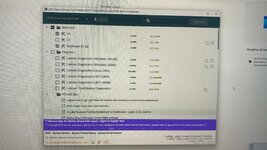
For repair technicians, this makes LSTC one of the most important tools for Lenovo BIOS information repair and system information recovery.
Common Lenovo Errors This Tool Helps Solve
Many users search for this tool because they are dealing with one of these problems:
- Lenovo Invalid Serial Number Fix
- Machine Type Model Missing
- UUID is Invalid
- Serial Number Missing in BIOS
- Invalid Machine Type Lenovo
- Lenovo DMI Corruption After BIOS Flash
- System Information Missing After Motherboard Change
If your Lenovo device has one of these errors, Lenovo LSTC Tool may help restore the original machine information.
Supported Brands and Series
Lenovo LSTC Tool supports a range of Lenovo business and consumer platforms, although support level is not equal across all models.
Fully Supported or More Stable Platforms
- ThinkPad Series
- ThinkCentre (Desktop & All-in-One)
- ThinkStation (Workstations)
Limited Support Platforms
- IdeaPad
- IdeaCentre (Desktop & All-in-One)
- Lenovo branded laptops
- Lenovo branded desktops
In general, ThinkPad, ThinkCentre, and ThinkStation systems offer the most stable and reliable support. Consumer models such as IdeaPad may have restricted access or blocked write functions depending on firmware protection.
Supported Device Time Range
Lenovo LSTC Tool is generally intended for:
- Lenovo and Think devices released from 2016 and newer
This is important because newer platforms may include stronger BIOS-level protections that affect serial number writing, UUID editing, and DMI repair.
Support Level and Restrictions
Not all Lenovo devices behave the same way with LSTC.
Full Support
ThinkPad / ThinkCentre / ThinkStation
- More stable support
- Better compatibility for Serial Number, UUID, and MTM repair
- Preferred platforms for service technicians
Limited Support
IdeaPad / Consumer Models
- Some models do not allow Serial Number or UUID writing
- BIOS protection may block DMI edits
- Support can vary significantly by model and firmware version
Additional Restrictions on Newer Devices
For some 2024 and newer devices:
- Secure Boot may need to be disabled
- BIOS Guard protection may need to be disabled
This means that even if the tool launches correctly, firmware protection may still prevent changes from being applied.
Important Limitations
Before using Lenovo LSTC Tool, understand the real constraints:
- Consumer models may have restricted access
- Some Lenovo laptops do not allow full DMI or UUID write operations
- Newer devices may require BIOS security features to be disabled
- Firmware protection can block machine information changes
- Tool compatibility depends on platform, BIOS version, and internal service permissions
Anyone claiming universal support across all Lenovo models is oversimplifying or lying.
Professional Warning
This tool is intended for professional use only. Incorrect usage may cause system instability, data inconsistency, or incorrect machine identification.
Before making any changes:
- Back up the original DMI data
- Record the current Serial Number, UUID, and MTM
- Verify model compatibility
- Confirm that BIOS protection settings will not block the process
If you overwrite valid machine information with incorrect values, you create more problems than you solve.
Final Notes
Lenovo LSTC Tool is primarily useful for Lenovo serial number fix, UUID repair, MTM restoration, and DMI recovery on supported Lenovo systems. It is most reliable on ThinkPad, ThinkCentre, and ThinkStation devices, while IdeaPad and other consumer models may have limited support.
If you are trying to fix Invalid Machine Type, Serial Number Missing, or UUID is Invalid errors, this tool may be the correct service solution, provided the target model and BIOS security settings allow the change.
This software belongs to Lenovo. We do not own or modify it.
Shared for educational and repair purposes only.
Last edited: